Documentation Guide
CLICK BELOW TO WATCH FIRST!

Form2Account: Getting Started Guide
Form2Account is a powerful automation tool designed to fully streamline the client onboarding process. It transforms a standard form submission into a completely functional, ready-to-use workspace, eliminating manual setup and provisioning tasks. This comprehensive guide provides agency administrators and IT implementers with everything needed to successfully deploy, configure, and activate the system.
Understanding Form2Account: A Guide to Key Concepts
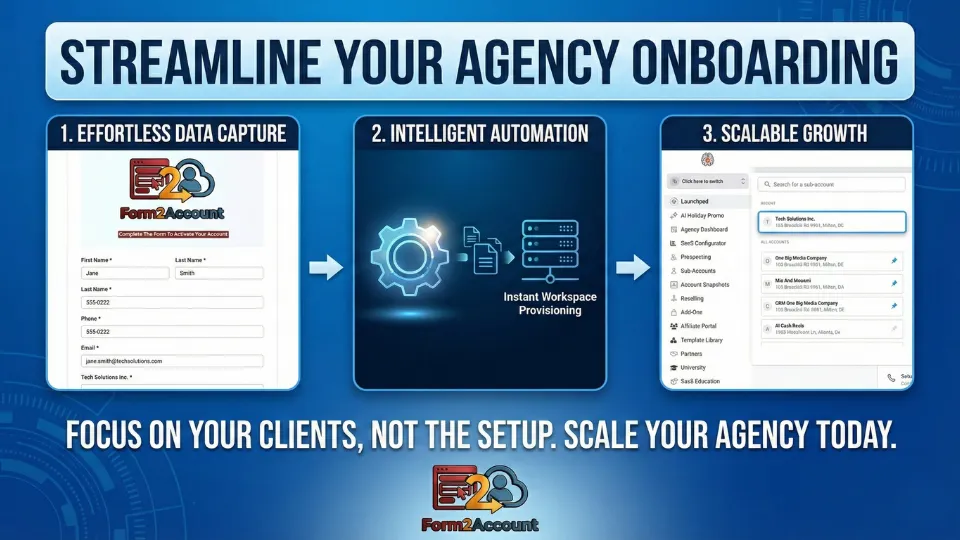
Welcome to Form2Account! This guide introduces a system designed to solve a common challenge for growing agencies: manually setting up new client accounts. Form2Account is built to streamline your agency onboarding process by replacing tedious setup tasks with zero-touch automation. The purpose of this document is to define the fundamental terms and components of the system, giving you a clear foundation for understanding how it works.
Installation & Initial Workflow Activation
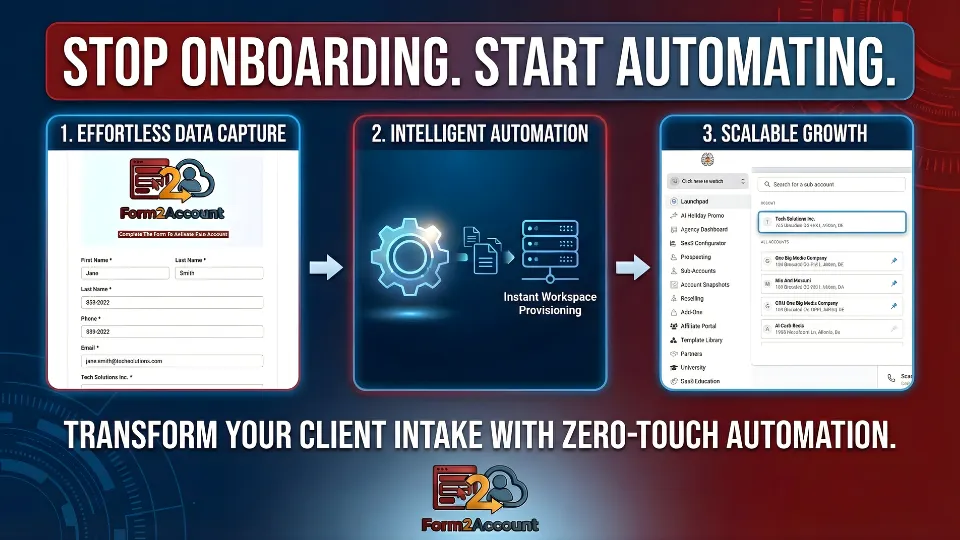
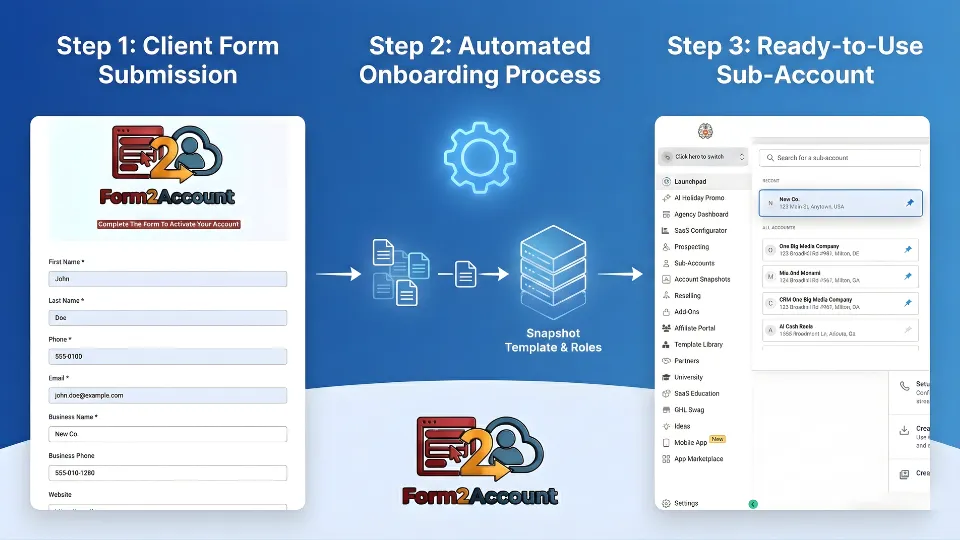
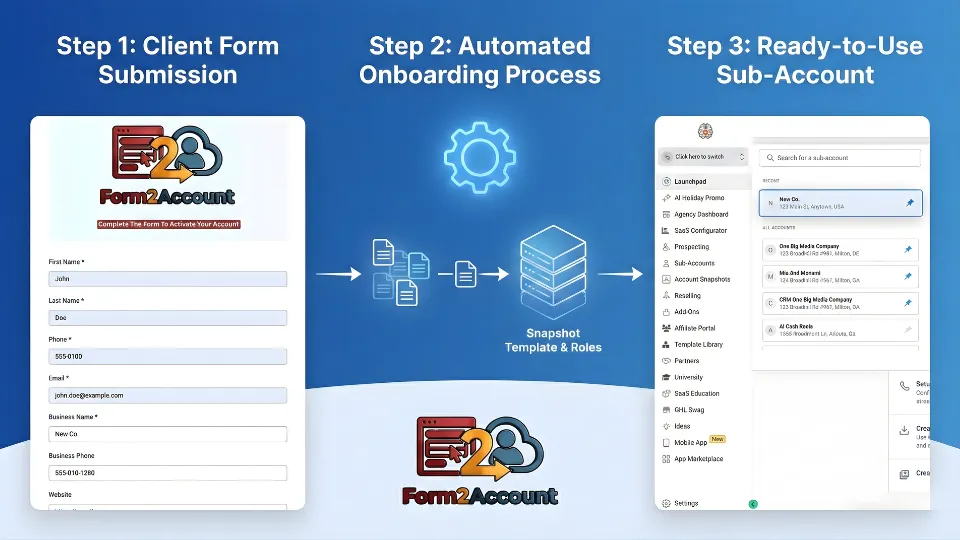
At its core, Form2Account operates in a simple, three-step automated sequence that transforms a client's submitted information into a fully functional workspace.
Effortless Data Capture
The process begins when a new client fills out a straightforward online form. This form captures all the essential information needed to create their account, such as their name, email, and phone number.
Intelligent Automation
Once the form is submitted, the system's automation engine takes over. In a process called "Instant Workspace Provisioning," Form2Account begins building a new workspace by applying a predefined Snapshot Template & Roles based on the submitted data.
Effortless Data Capture
The final result is a fully configured and provisioned Sub-Account for the new client. This immediate availability of a ready-to-use account is what enables scalable growth, as it removes the manual setup bottleneck and allows your team to focus on clients, not configuration.
Now, let's look at the key components that power this automated process
The Core Building Blocks of Form2Account
Several key components work together to make this automation possible.
2.1. Sub-Accounts: Your Client's New Workspace
A Sub-Account is the individual, ready-to-use workspace created for each new client. Think of it as the final product of the Form2Account automation. The system uses the client's submitted form data—specifically their First Name, Last Name, Phone, and Email—to create the primary admin user for this new Sub-Account, giving them immediate access.
2.2. Snapshots: The Blueprint for a New Account
A Snapshot is a template or blueprint that defines the configuration of a new Sub-Account. When a new account is created, a Snapshot is applied to it, instantly setting it up with all the necessary settings, tools, and configurations. For example, you could have a 'Basic Plan Snapshot' that sets up standard workflows and a 'Pro Plan Snapshot' that includes additional premium tools and user permissions. By specifying a snapshot ID in the form, you can tell the system exactly which blueprint to use for a particular client's new Sub-Account.
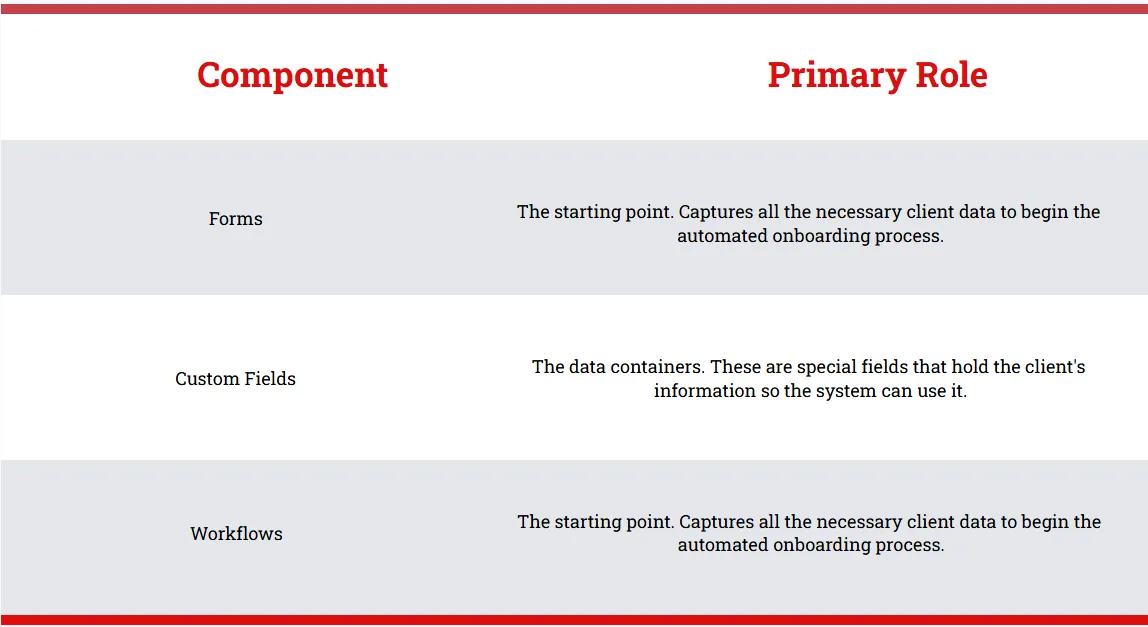
2.3. The Automation Engine: Forms, Fields, and Workflows
The automation itself is driven by three interconnected components that manage the data and the actions.
With these building blocks in mind, let's take a closer look at the specific fields on the form that make the magic happen.
A Closer Look: Understanding the Form Fields
The online form contains both standard, visible fields for client information and special hidden fields that control the automation behind the scenes.
3.1. Standard User Information
Standard fields like First Name, Last Name, Phone, and Email are used to create the primary admin user for the new Sub-Account. The email address is the most critical piece of this information.
3.2. Special Hidden Fields
In addition to the visible fields, some fields work in the background to provide instructions to the automation engine.
SnapshotID
This field tells the system which specific template (Snapshot) to apply when creating the new Sub-Account. If this field is left blank, a specific snapshot will not be applied via the form, and the account will be created with the system's base configuration.
Password
This field allows you to set a specific password for the new user, provided it meets security requirements. If you leave it blank, the password will be automatically generated using a specific formula: It will be the locationID of the new Sub-Account with an "9!" appended.
Sub-ID
This field is used for a self-service recovery process. If a form submission fails to create an account, you can access the Form Submissions page, locate the failed submission, and copy the unique code from its Sub-ID field. You then paste that code into the Form2Account - Support form and submit it. This will re-run the failed activation form for you.
By understanding these fields, you can see how a simple form becomes a powerful tool for automated client onboarding.
Key Takeaways
To conclude, here are the most important concepts to remember about the Form2Account system.
The Goal is Automation
Form2Account turns a manual client setup process into an automated, three-step flow: Form Submission -> Automation -> Ready-to-Use Sub-Account.
Snapshots are Blueprints
They ensure every client account is set up consistently and instaantly, eliminating manual configuration and errors.
The Form is in Control
The data entered into the form, including special hidden fields like SnapshotID, directly controls how the new Sub-Account is created and configured.
Ready to Get Started?
You now have a solid understanding of how Form2Account works and the key components that power automated client onboarding. With this foundation, you're ready to start streamlining your agency's growth and eliminating manual setup tasks.
The next step is to configure your first form and snapshot template to begin automating your client onboarding process.